 Kuvo
Opening soon · founding price inside
Learn Japanese from real clips, one tap at a time.
Kuvo turns short Japanese clips into interactive lessons. Subtitles light up word by word, and any word can be tapped. Save words as flashcards, practice speaking out loud, and stay motivated with friends.
Or pre-order at the founding rate
{{walkCaption}}
Real screens from the Kuvo iPhone app.
How Kuvo works
Watch something real, tap what you don't know, and review it with the clip you heard it in.
Step 1
Watch real Japanese
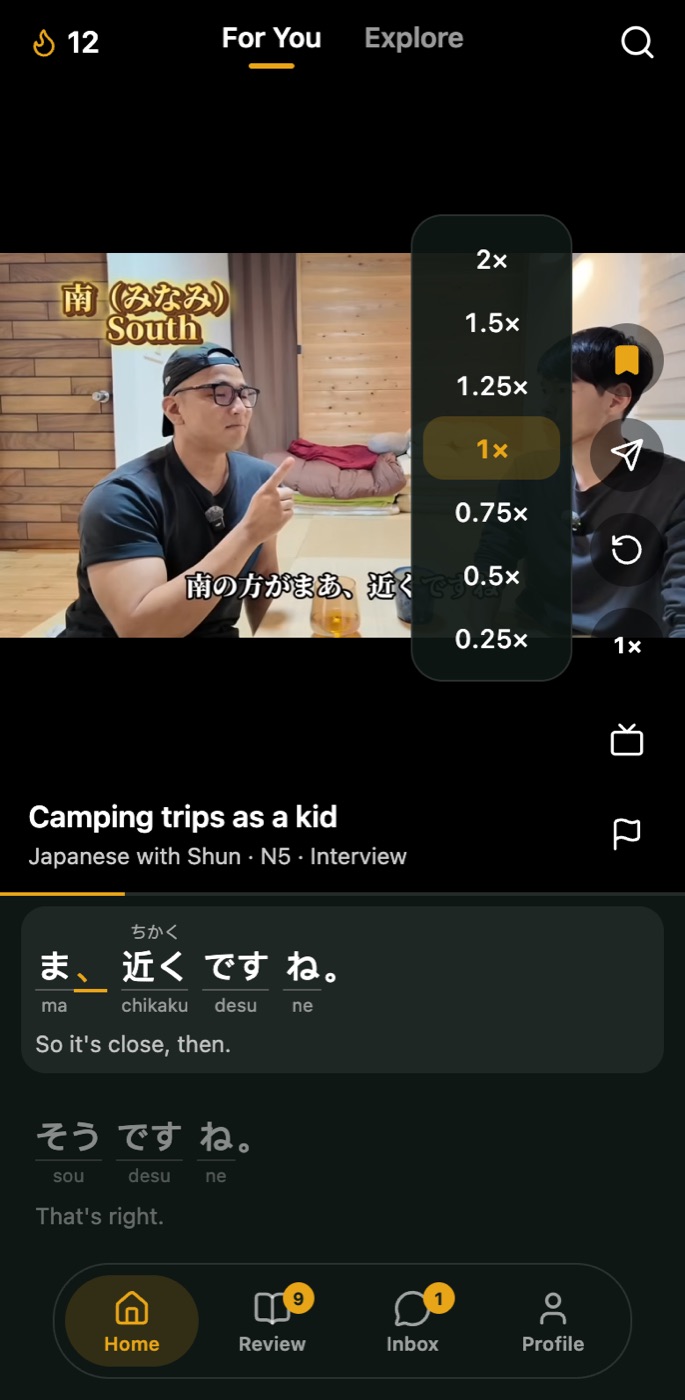
A For You feed of short clips from Japanese creators: vlogs, podcasts, interviews and street food runs, picked for your JLPT level and the topics you chose.
Subtitles highlight word by word as people speak, with furigana above, romaji below and the English underneath.
Slow a line right down to 0.25×, jump back 5 seconds, or tap any sentence to hear it again.
Step 2
Tap any word
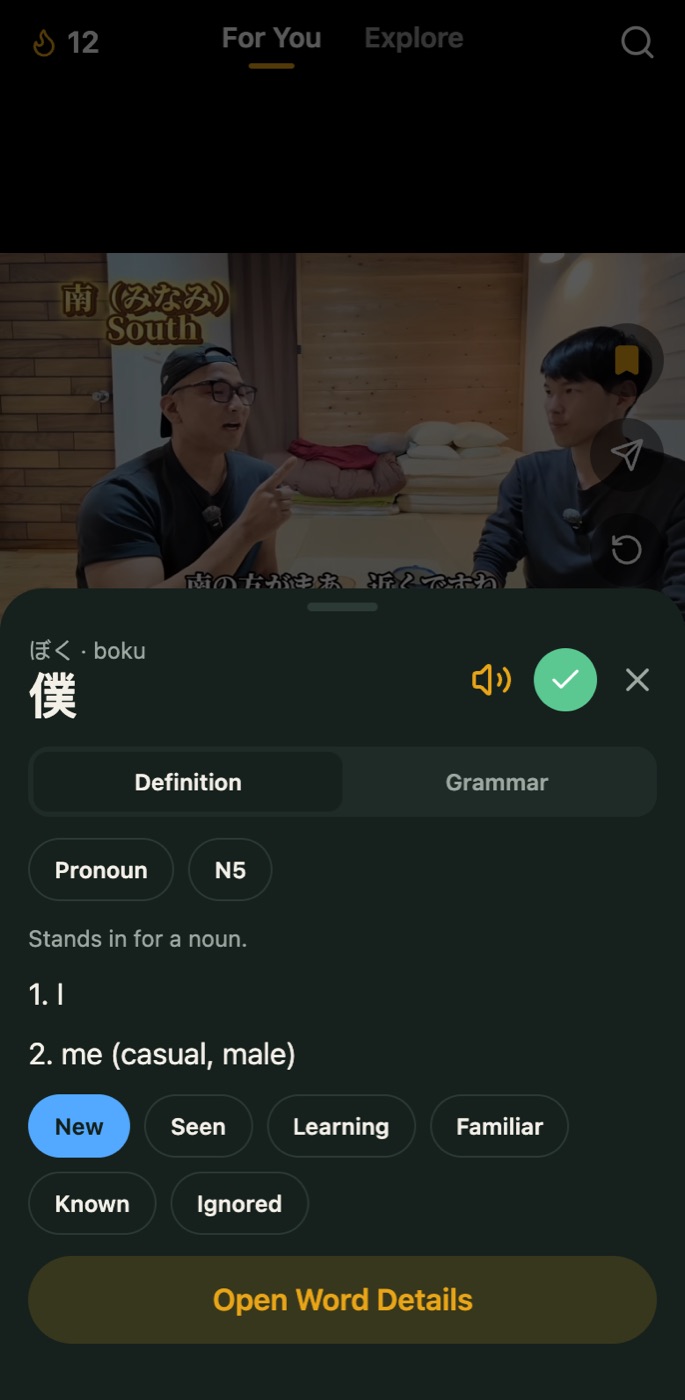
The clip pauses and the word opens in place: its reading, every meaning, the part of speech and its JLPT level.
Switch to Grammar to see the patterns in that line, or have Kuvo explain it in context. Tapping a word saves it to your list, and you can mark how well you know it, from New to Known.
Step 3
Review it with the clip
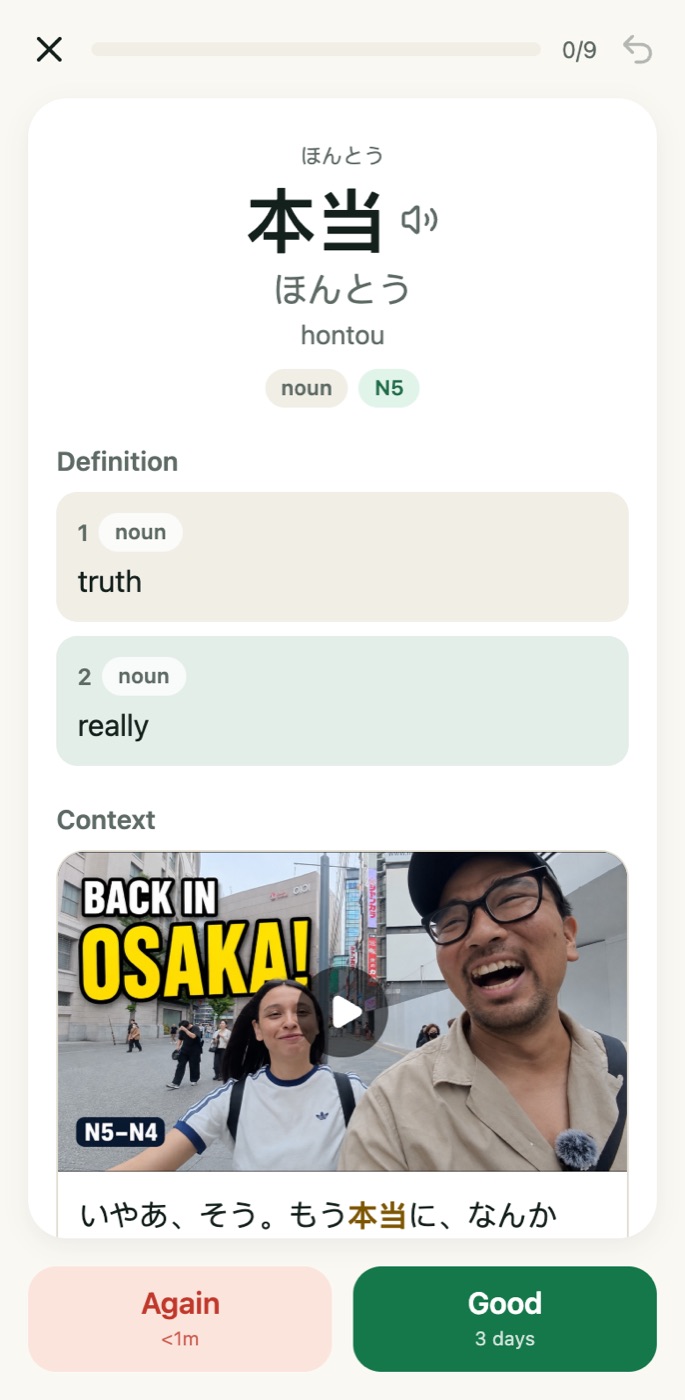
Every word you save becomes a flashcard. Flip one to see all of its meanings, plus the exact clip and sentence you met it in, with the word highlighted.
Answer Again or Good, and Kuvo schedules the next review for you, from a minute away to days later.
Explore
Find something you actually want to watch.
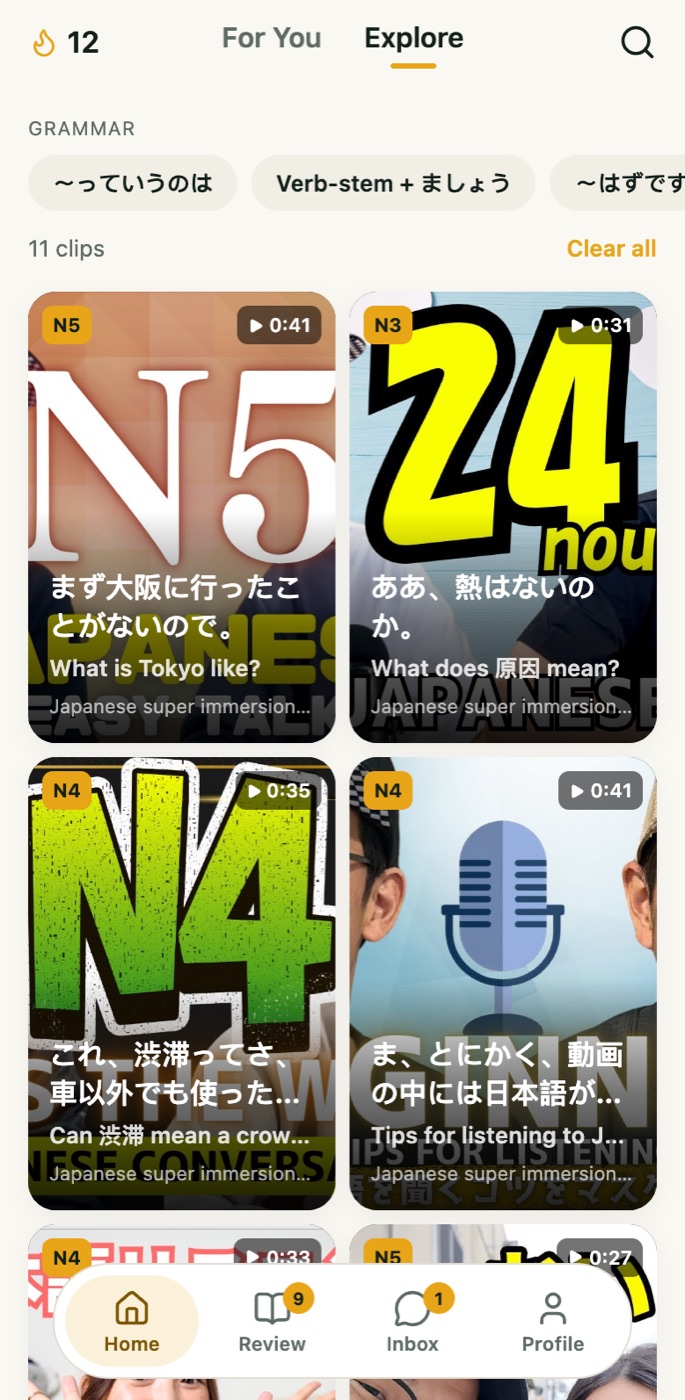
Swipe across from For You to Explore and browse every clip by its real thumbnail. Filter by JLPT level, topic, source (vlogs, podcasts, interviews, anime and more) or a grammar pattern you want to hear used.
The built-in dictionary works the other way round: search a word in English, Japanese or romaji and see every clip that uses it.
Review
A review tab that keeps you going.
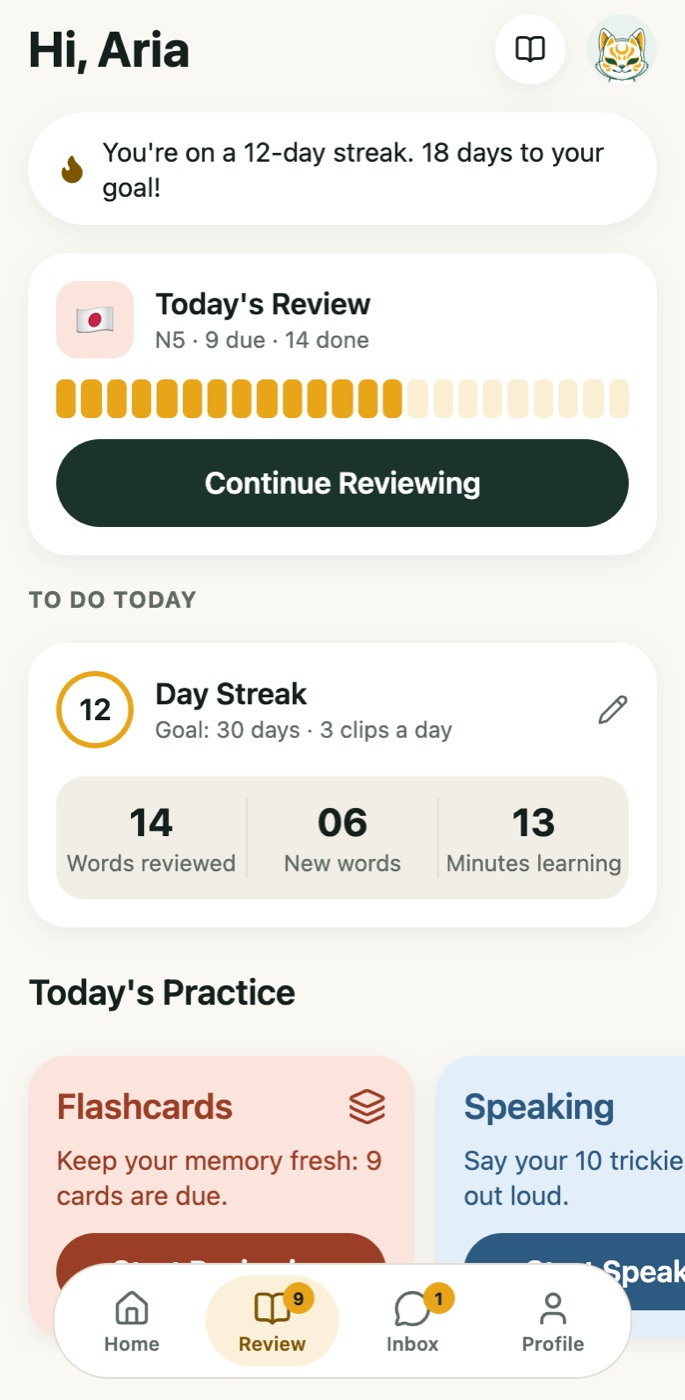
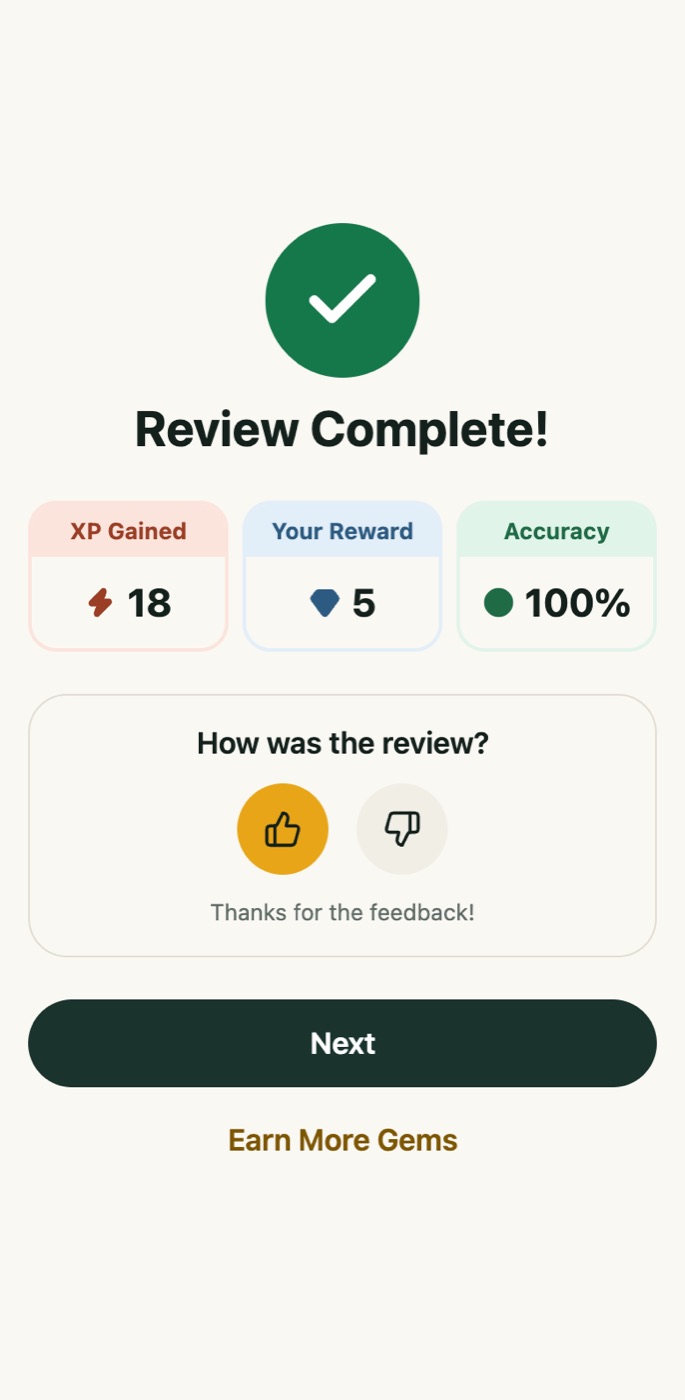
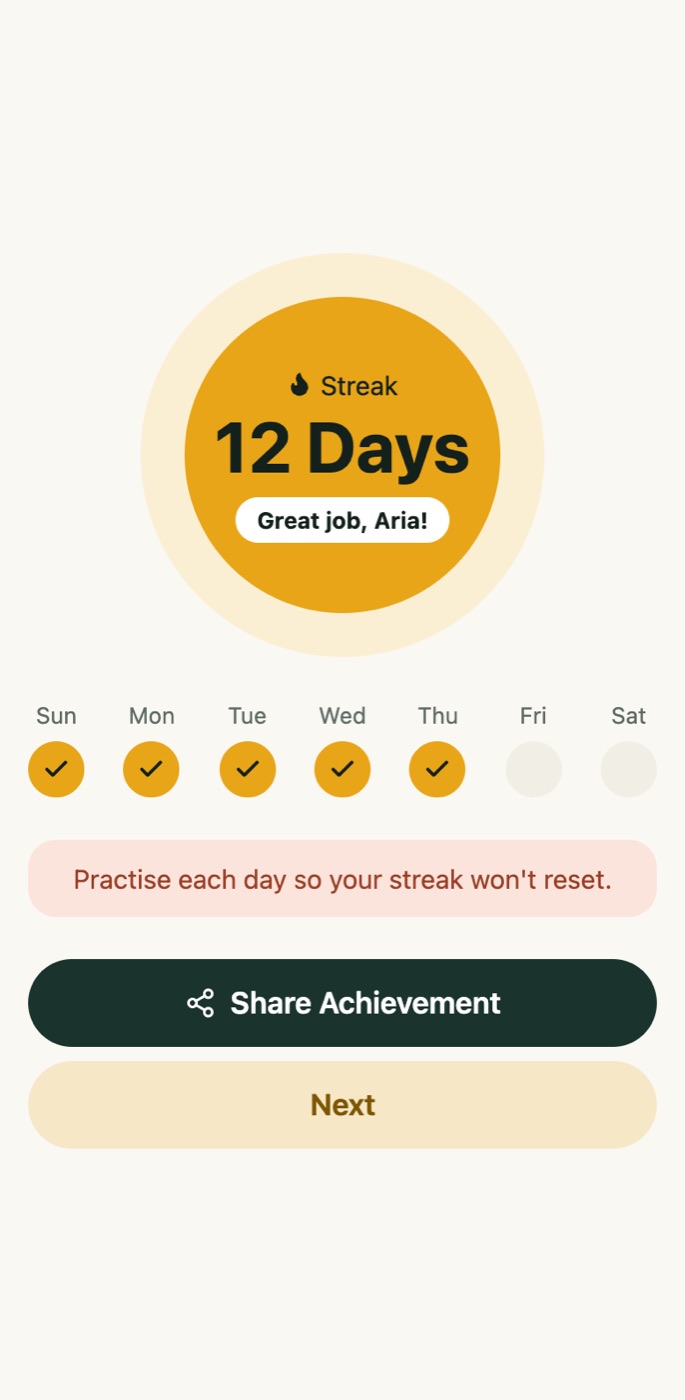
Today's cards, your streak and four kinds of practice, all on one screen. Finishing a review earns XP and gems and moves your streak forward.
Flashcards
Your due cards, with the clip behind every word. Undo a wrong answer if you tapped too fast.
Speaking
Say your trickiest words out loud. Kuvo listens and tells you whether it heard the word.
Listening
Rewatch the clips where you saved words, so you hear them again in the same voice.
Friends
Japanese is easier when someone is counting on you.
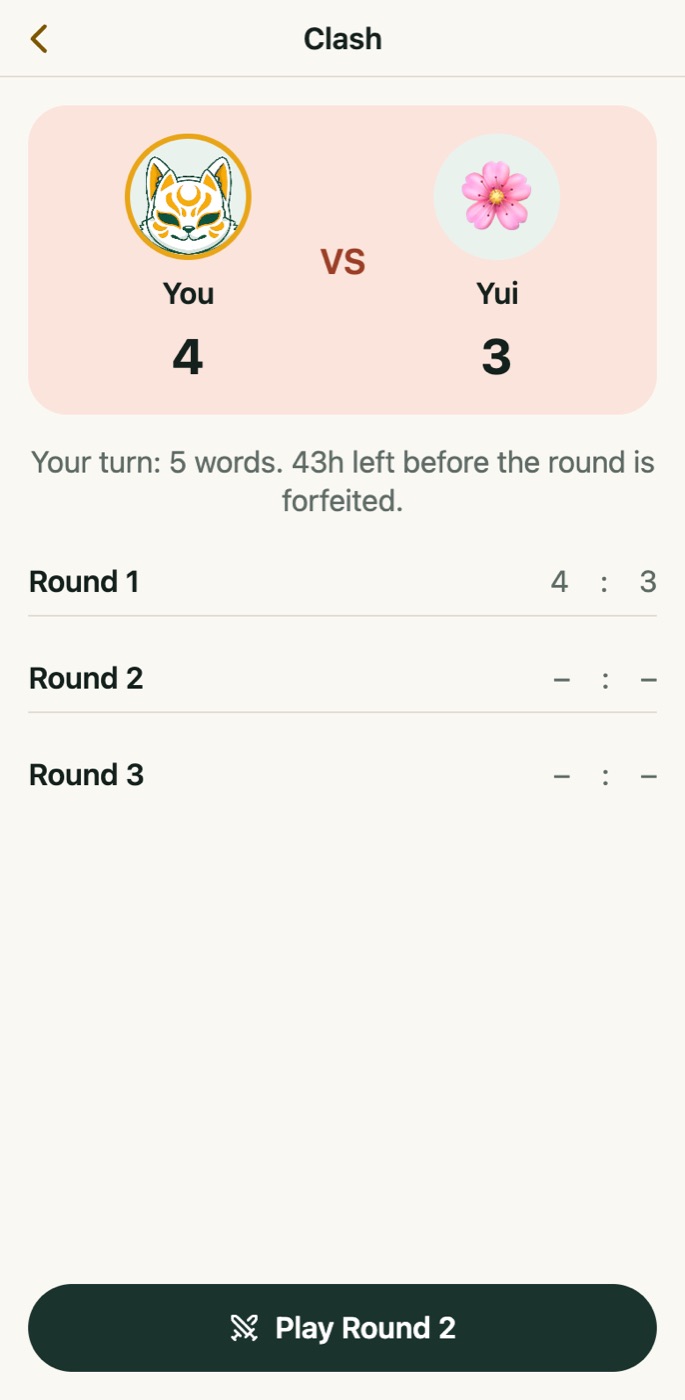
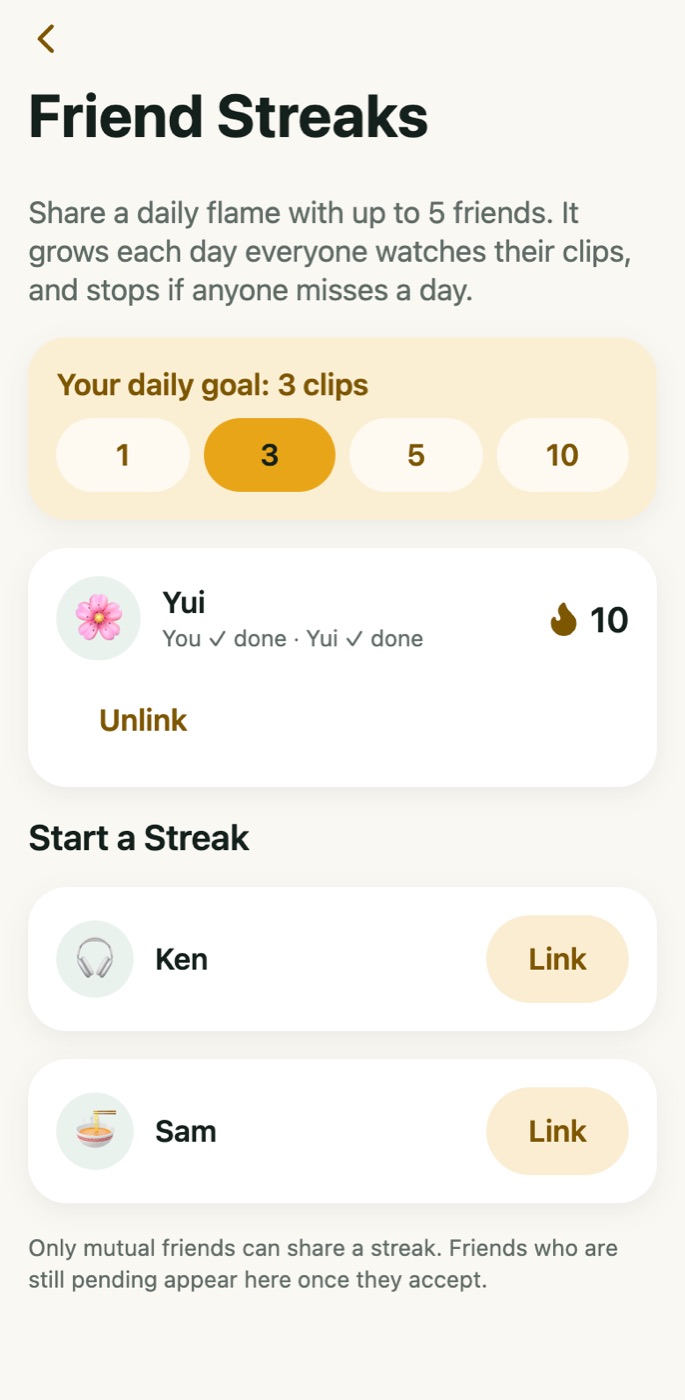
Kuvo is built around learning with friends. Share a streak, team up on a weekly goal, or settle it with a word battle.
Friend Quests
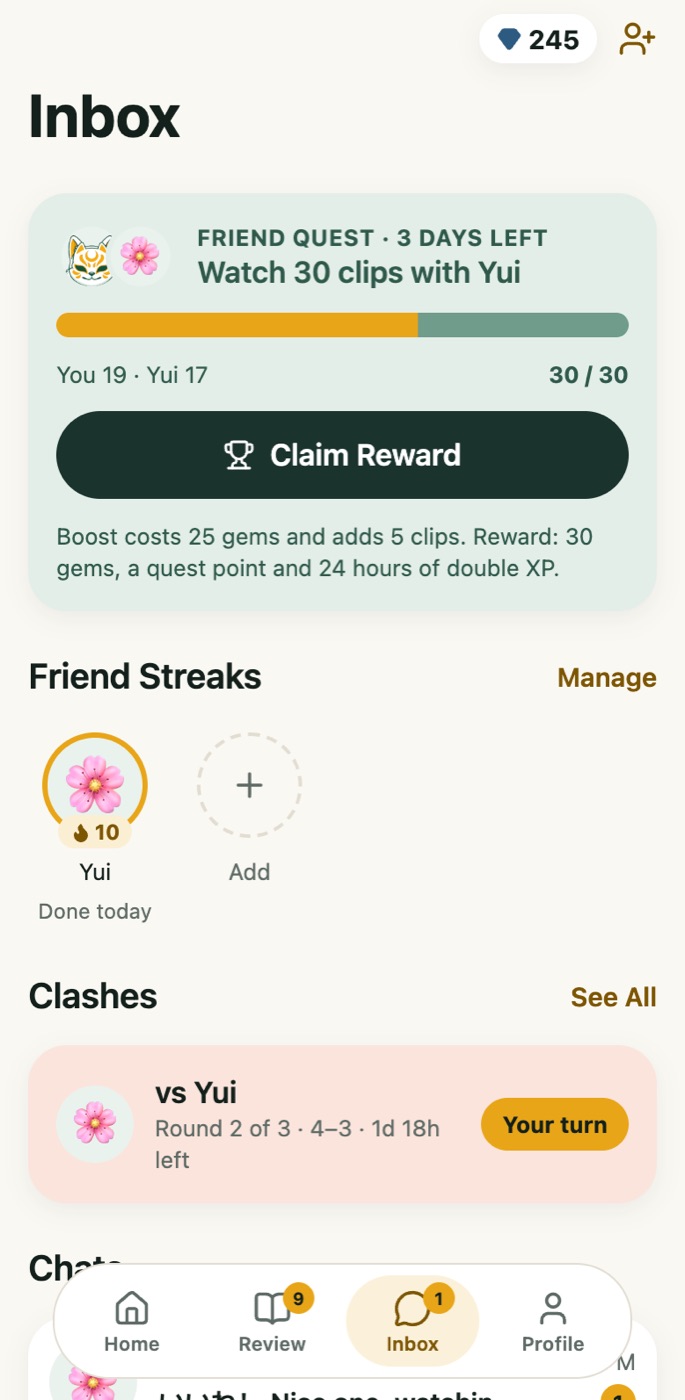
Each week Kuvo pairs you with a friend and gives you a shared goal, like 30 clips between you. Nudge them for free, or spend gems to send an XP Boost. Finish together for gems and 24 hours of double XP.
Friend Streaks
Link a daily flame with up to five friends. It grows every day you all watch your clips, and stops if anyone misses. A nudge is one tap away.
Friends Clash
A 1v1 word battle in three rounds of five questions. Play your round, the baton passes, and your friend has two days to answer. The winner takes the gems.
Weekly league
Clips, saved words and reviews all earn XP. Climb from Bronze to Diamond against your friends, with a fresh start every Monday.
Everything else, done properly.
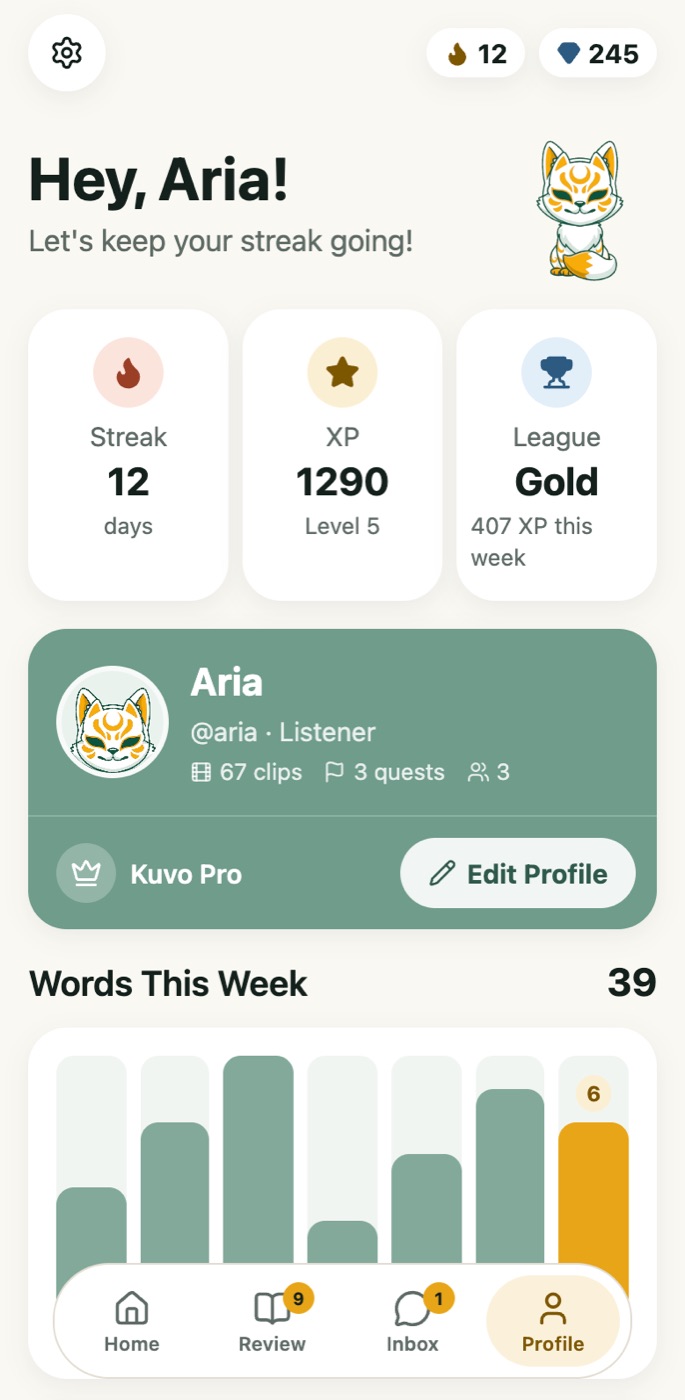
Your profile shows your streak, XP, league and level, the words you learned each day this week, and the achievements you have unlocked along the way.
Furigana and romaji, your way
Turn each one on or off, add spacing between words, and change the text size. Show as much help as you need, and drop it when you are ready.
A status for every word
New, Seen, Learning, Familiar or Known. Each word in a subtitle is underlined by its status, so you can see at a glance what you already know.
Grammar in context
Tap a word, switch to Grammar, and see the patterns that line uses. Ask for an explanation of the sentence you are actually looking at.
Made for iPhone
Native tabs, SF Symbols, haptics and smooth swipes. The feed, Explore and the word popup all respond the moment you touch them.
Daily goals and reminders
Choose how many minutes and clips a day you want, and when you like to study. Kuvo reminds you at the right time.
Light or dark
The app is light by default and easy to read in daylight. Switch to dark whenever you like. Videos always play in the dark.
Come in at the founding price.
Kuvo is being built in the open. Pre-ordering the yearly plan now locks your first year at half what it will cost at launch, and puts you in the group whose feedback actually shapes it.
The founding price is for the yearly plan only. Monthly is {{monthlyPrice}} a month.
Yearly · founding year
Use code {{code}} at checkout
One payment. Access the day it opens.
No payment is taken yet. We will email you the moment pre-orders open.
Kuvo opens soon.
Leave your email and you'll hear first. One message when it's ready, nothing else.